macOS
The app and the disk image are signed with an Apple Developer ID, notarized by Apple, and stapled, so macOS opens them without a warning. If Gatekeeper complains, the file was altered after publication. Do not open it.
A calm desktop manager for AI coding tools
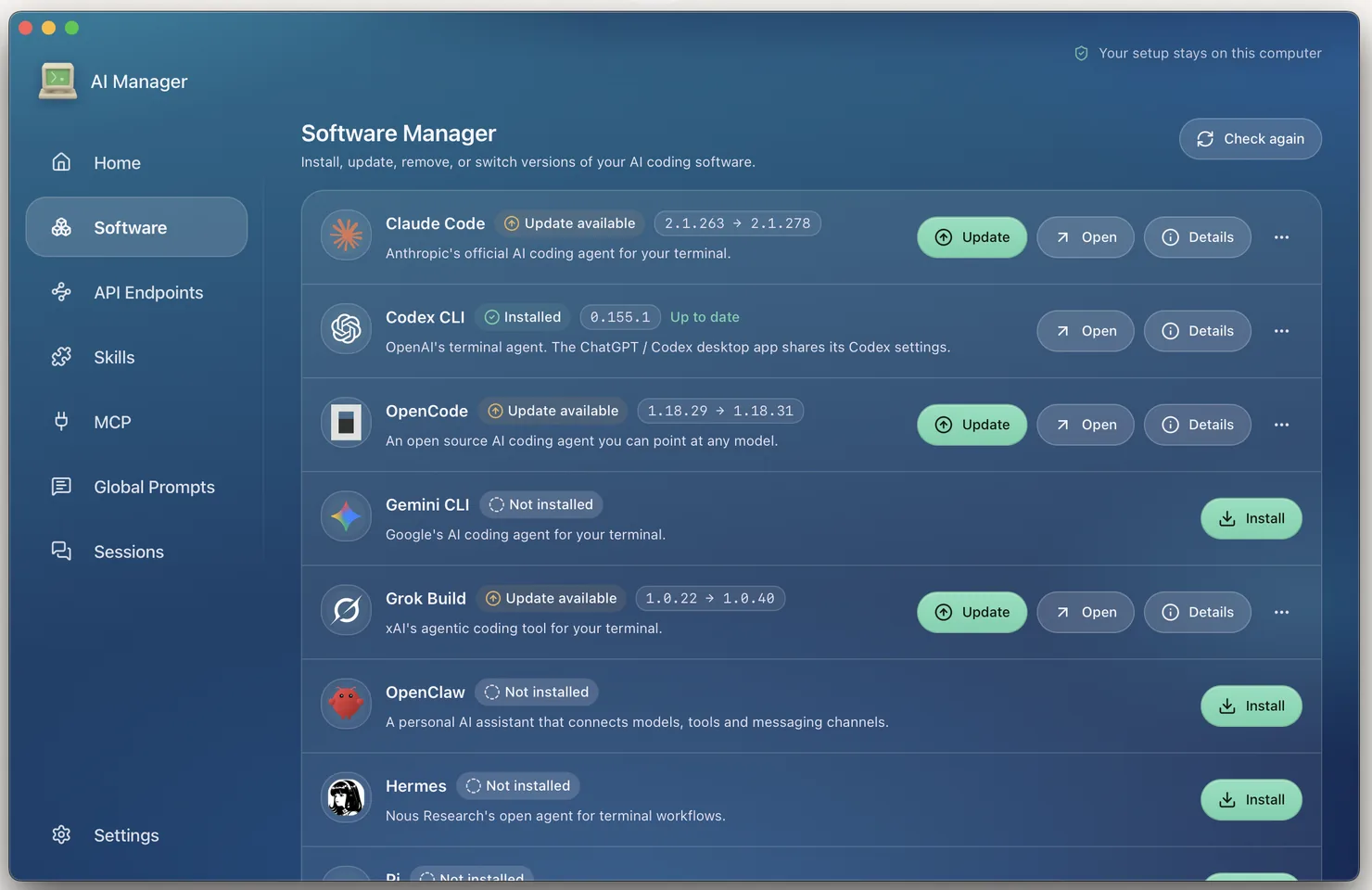
Install, update, configure, and repair Claude Code, Codex, OpenCode and
seven more command-line tools without touching shell profiles,
PATH, or hand-edited configuration files. Everything stays
on your own computer.
Download AI Manager
Looking up the current release…
The download list could not be loaded. Try again in a moment, or use the GitHub Releases page.
This is a prerelease. It is signed and verified the same way a stable release is, but it has not finished clean-machine validation on every platform. Expect rough edges, and keep a backup of anything you care about.
Choose your system
Pick a platform to see its installers and checksums.
The app and the disk image are signed with an Apple Developer ID, notarized by Apple, and stapled, so macOS opens them without a warning. If Gatekeeper complains, the file was altered after publication. Do not open it.
The installer carries no Authenticode signature, so SmartScreen shows an unknown publisher warning on first run. That is expected. Buying a code-signing certificate was a deliberate no; the published SHA-256 is the integrity evidence instead, and it is worth checking:
Get-FileHash .\AI-Manager-<version>-Windows-x64.msi -Algorithm SHA256
Compare the result with the matching .msi.sha256 file
published beside the installer.
Linux has no cross-distribution equivalent of platform signing, so here too the published checksum is what proves the download:
sha256sum -c AI-Manager-<version>-Linux-x64.AppImage.sha256
The AppImage needs the executable bit (chmod +x)
before it will run.
After the first install you do not need this page again. AI Manager checks for updates in the background, verifies a minisign signature against a public key compiled into the application, and downloads nothing it cannot verify. Installing stays an explicit choice: the app waits until you press Restart.